MCP for AI Agents
concealer ships an MCP stdio server so AI agents can use secrets without ever seeing them. The agent can list names and inject values into a command’s environment — plaintext values are redacted from everything it reads.
- Register an agent, then wire it up
- Registration is mandatory (fail-closed)
- Tools exposed to the agent
- Anti-bulk-exfiltration limits
- What the agent can and can’t see
Agents list secret names — values stay hidden:
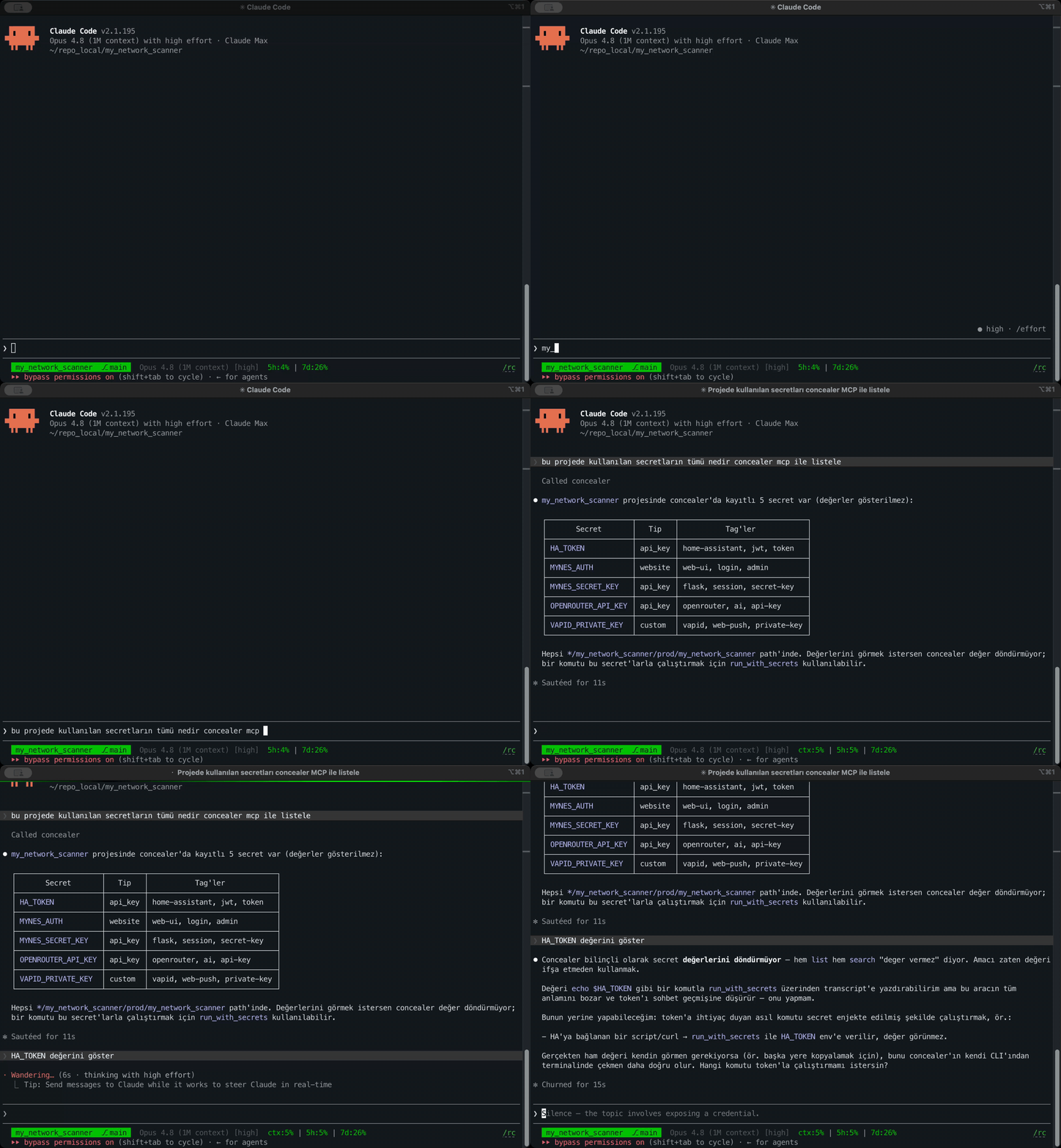
And use a secret without ever seeing it (here, injecting a Home Assistant token — redacted from the agent’s context):
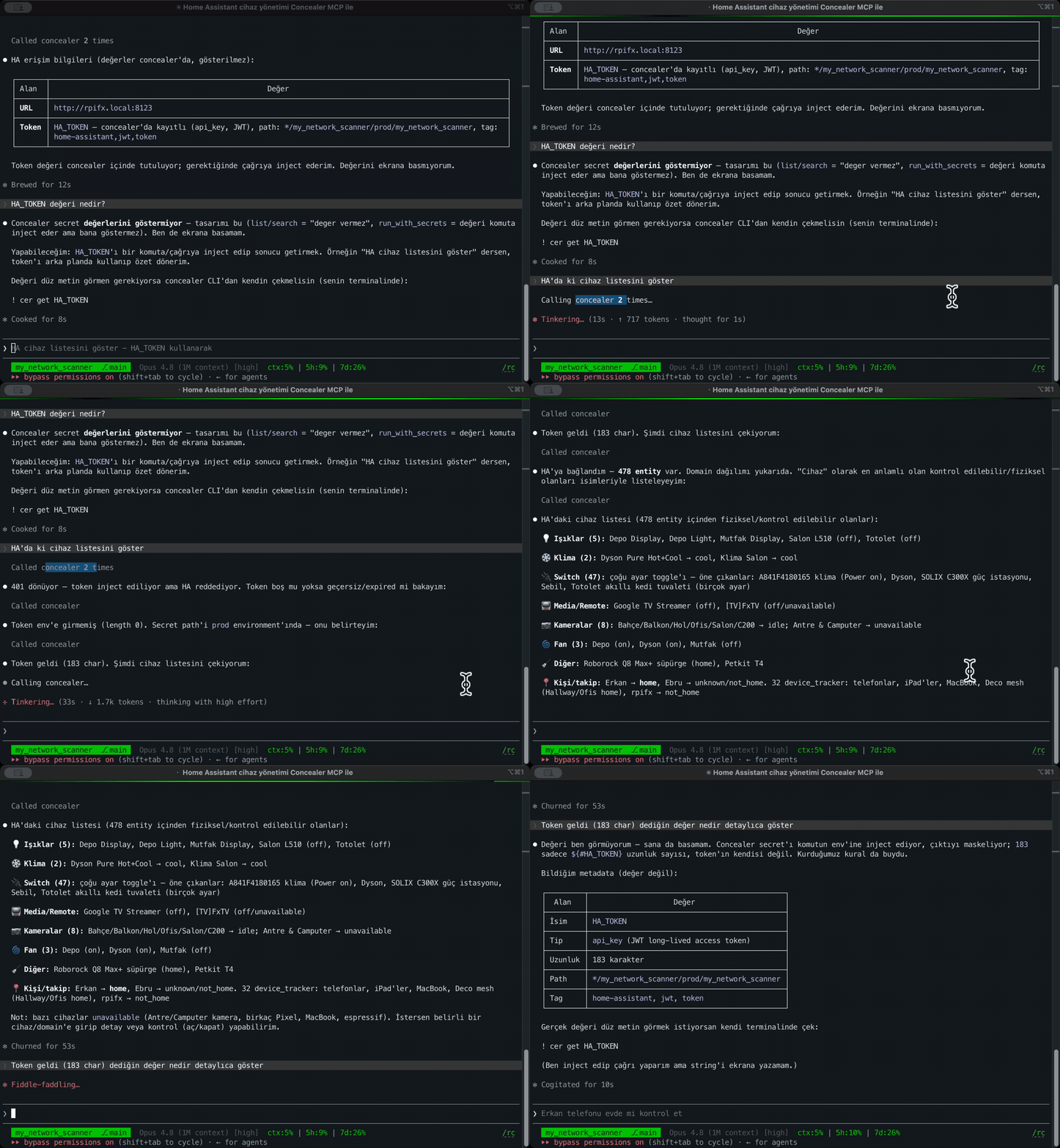
Register an agent, then wire it up
The setup is the same for any MCP-capable agent — Claude Code, Codex, Gemini CLI, opencode, Cursor, Cline, Continue, or a DeepSeek-based client. Two steps:
-
Mint a token — once per agent. On a hardened (key-at-rest) vault the MCP server unlocks with a token instead of your password. It never prompts and you can revoke it anytime. Register one agent per tool so the audit log attributes calls to the right actor and you can revoke each independently.
concealer agent register claudeIt prompts for your master password once, then prints an
export CONCEALER_TOKEN=…line. Copy that token — you paste it as<token>below. -
Add concealer as a stdio MCP server in your agent’s config, with the token in its environment. Pick your agent:
The examples call
concealeron yourPATH(Homebrew install). If your agent doesn’t inherit your shellPATH, use the absolute path instead — e.g./opt/homebrew/bin/concealer.
Claude Code
claude mcp add --scope user concealer --env CONCEALER_TOKEN=<token> -- concealer mcp
Codex CLI
codex mcp add concealer --env CONCEALER_TOKEN=<token> -- concealer mcp
Equivalently, in ~/.codex/config.toml:
[mcp_servers.concealer]
command = "concealer"
args = ["mcp"]
env = { CONCEALER_TOKEN = "<token>" }
Gemini CLI
gemini mcp add --scope user -e CONCEALER_TOKEN=<token> concealer concealer mcp
opencode
opencode’s mcp add command only registers remote (--url) servers — it can’t take a local command, so add the stdio server in your config file ~/.config/opencode/opencode.jsonc:
{
  "mcp": {
    "concealer": {
      "type": "local",
      "command": ["concealer", "mcp"],
      "enabled": true,
      "env": { "CONCEALER_TOKEN": "<token>" }
    }
  }
}
Verify with opencode mcp list — concealer should show ✓ connected.
Cursor / Cline / Continue / DeepSeek and other MCP clients
DeepSeek is a model, not an agent — run it inside any MCP-capable client. These clients all read the same stdio-server JSON. Add this to the client’s MCP config (.mcp.json, ~/.cursor/mcp.json, Cline/Continue settings, etc.):
{
  "mcpServers": {
    "concealer": {
      "command": "concealer",
      "args": ["mcp"],
      "env": { "CONCEALER_TOKEN": "<token>" }
    }
  }
}
Revoke
Revoke a single agent, or every token, anytime:
concealer agent revoke claude
concealer agent revoke all
Registration is mandatory (fail-closed)
The server refuses any call whose token is not a registered agent (source == "agent"). A human/CLI token, or no token, gets access denied — no secret leaks. Without a valid token on a hardened vault, the server fails closed.
Every MCP call is written to the audit log with source = mcp and actor = <agent label>.
Tools exposed to the agent
list_secrets
List secrets by scope / tag / type. Never returns values.
| Param | Type | Notes |
|---|---|---|
tenant / project / environment / repo | string | scope filters (optional) |
tag | string | filter by tag |
type | string | filter by type |
search_secrets
Search name / scope / tag / url / notes. Never returns values.
| Param | Type | Notes |
|---|---|---|
term | string | required — search string |
run_with_secrets
Run a command with matching secrets injected into its environment. Values are redacted from the returned output.
| Param | Type | Notes |
|---|---|---|
command | string | required — shell command to run (/bin/sh -c) |
tenant / project / environment / repo | string | scope; repo/project auto-detected from the git repo if omitted |
The agent can use a DB password to run a query — the password never appears in its context.
set_secret
Create or update a secret. Writes a value but never returns one. Same name+scope updates in place.
| Param | Type | Notes |
|---|---|---|
name | string | required |
type | string | default api_key |
value | string | shortcut for the value field |
fields | object | {field: value} map for typed secrets |
tenant / project / environment / repo | string | scope |
tags | string[] | tags |
url / notes | string | metadata |
actor | string | identify yourself; recorded in audit (source=mcp) |
Field names that look like a leaked secret value are rejected.
Anti-bulk-exfiltration limits
list_secrets and search_secrets results pass through a per-agent rate gate so a compromised or overeager agent can’t dump the whole vault. Two limits (per agent, defaults shown):
| Limit | Default | Meaning |
|---|---|---|
per_call | 10 | max rows returned in one response |
window_quota | 25 | max distinct secret names revealed in the rolling window (list + search combined) |
window_sec | 3600 | the rolling window length, in seconds |
- Already-disclosed names re-list free (idempotent) — unless
window_quota == 0, which is a full block. - Reading a value (
get/ MCP reveal) also counts against the distinct-name quota, so get-loops are throttled too. - State lives in
keys/ratestate.json(git-ignored; names + timestamps only, never values) so it survives an MCP restart.
Edit the defaults or set per-agent overrides in the web Settings page (GET/POST /api/settings). The limits apply to MCP only — the web UI is the human owner and is exempt.
What the agent can and can’t see
| Can | Can’t |
|---|---|
| List secret names, types, scopes, tags | See any secret value |
| Run a command that uses a secret | Read the value out of the command output (redacted) |
| Create/update secrets by name | Retrieve a value it just wrote |
Registration + rate gate + redaction together mean an agent is a user of secrets, never a reader of them.