concealer on Windows
concealer runs natively on Windows — no WSL required. This page explains how to install it, how the Windows build differs from macOS/Linux, and the security caveats you must understand before trusting a vault on Windows.
If you prefer zero surprises, WSL2 also works with zero changes (concealer is just a Linux program there). Native Windows is for people who don’t want WSL.
- Install
- Environment variables (Windows)
- The Windows interfaces
- How the Windows build differs
- ⚠️ Security caveats on Windows (read this)
- Troubleshooting
Verified end-to-end on a real
windows-latestrunner in CI (.github/workflows/windows-test.yml): the CLI, web UI, MCP server, and TUI all pass. The screenshots below are captured on that runner.
Install
Option A — pipx (recommended, cross-platform)
# 1. Python 3.9+ and pipx
py -m pip install --user pipx
py -m pipx ensurepath

# 2. The external binaries concealer wraps (NOT bundled — concealer delegates all
#    crypto to these on purpose). Any of scoop/winget/manual works:
scoop install sops age
#   or:  winget install getsops.sops FiloSottile.age

# 3. concealer itself (pulls in pywinpty + windows-curses automatically on Windows)
pipx install concealer
concealer version
sops and age must be on PATH. concealer’s preflight check fails loudly with an install hint if either is missing.
Option B — Scoop
concealer has its own Scoop bucket:
scoop bucket add fxerkan https://github.com/fxerkan/scoop-bucket
scoop install concealer      # pulls in python + sops + age; pip fetches pywinpty/windows-curses
(The bucket’s manifest installs the published PyPI wheel. scoop.sh’s global search lists the bucket once its crawler re-indexes; the scoop bucket add line above works immediately regardless.)
winget needs a bundled .exe and is still deferred — see packaging/winget/. Until then use Scoop or pipx.
Option C — run the flat script
Clone the repo and run it with Python directly; you still need sops, age, pywinpty, and (for the TUI) windows-curses:
git clone https://github.com/fxerkan/concealer
cd concealer
py -m pip install pywinpty windows-curses
py concealer web 8799
Environment variables (Windows)
Set these per-session in PowerShell with $env:NAME = "…", or persistently with setx NAME "…" (opens a new shell to take effect). Same variables as every platform — only the defaults/paths differ.
| Variable | Purpose | Windows notes |
|---|---|---|
CONCEALER_HOME | vault directory | Defaults to %USERPROFILE%\.concealer. Keep it on your NTFS user volume — not a FAT/removable drive (see chmod caveat). |
CONCEALER_TOKEN | CLI/MCP unlock token (from init / unlock / agent register) | $env:CONCEALER_TOKEN = "…". For an MCP client, put it in the server’s env block. |
CONCEALER_IDLE | web session idle auto-lock, seconds | default 300 |
CONCEALER_NO_OPEN | set to 1 to stop concealer web from opening a browser | useful over SSH/headless |
PATH | must contain sops.exe, age.exe, age-keygen.exe | scoop install sops age puts them on PATH automatically |
# example: point at a throwaway vault, unlock, use it
$env:CONCEALER_HOME = "$env:TEMP\cer-test"
concealer init                        # sets master password, prints a CONCEALER_TOKEN + recovery codes
$env:CONCEALER_TOKEN = "…paste from init…"
concealer set --name GITHUB_TOKEN ghp_xxx --project demo
concealer web 8799                    # opens the web UI
sops/age are not pip packages — install them with scoop install sops age (or winget). concealer’s preflight check fails loudly with a hint if they’re missing.
The Windows interfaces
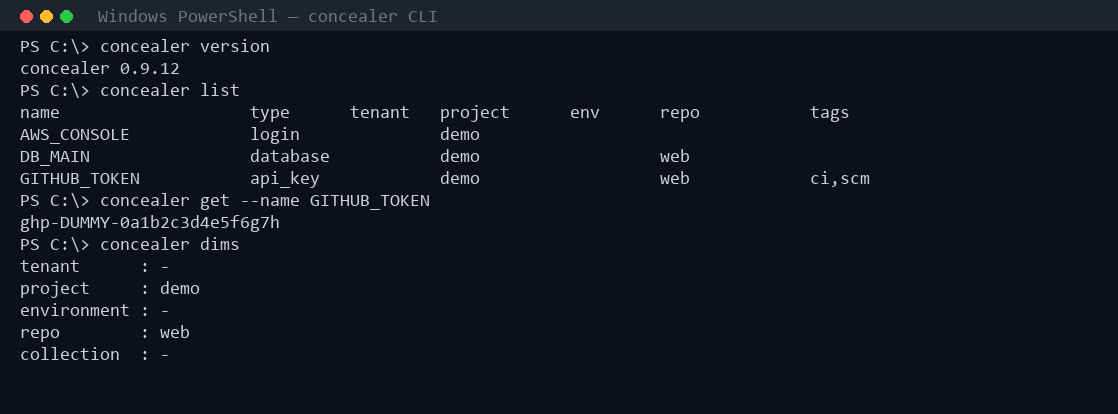
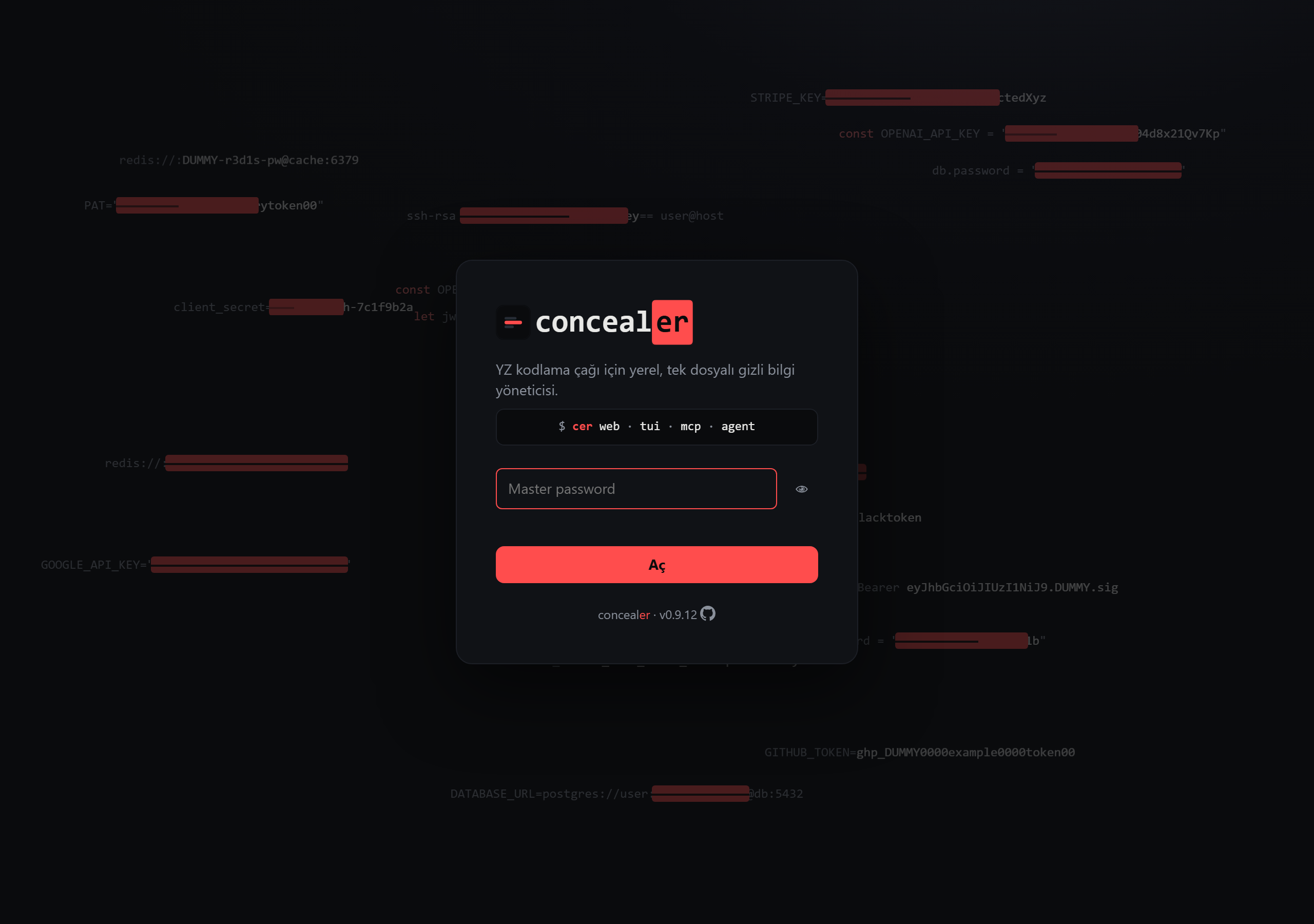
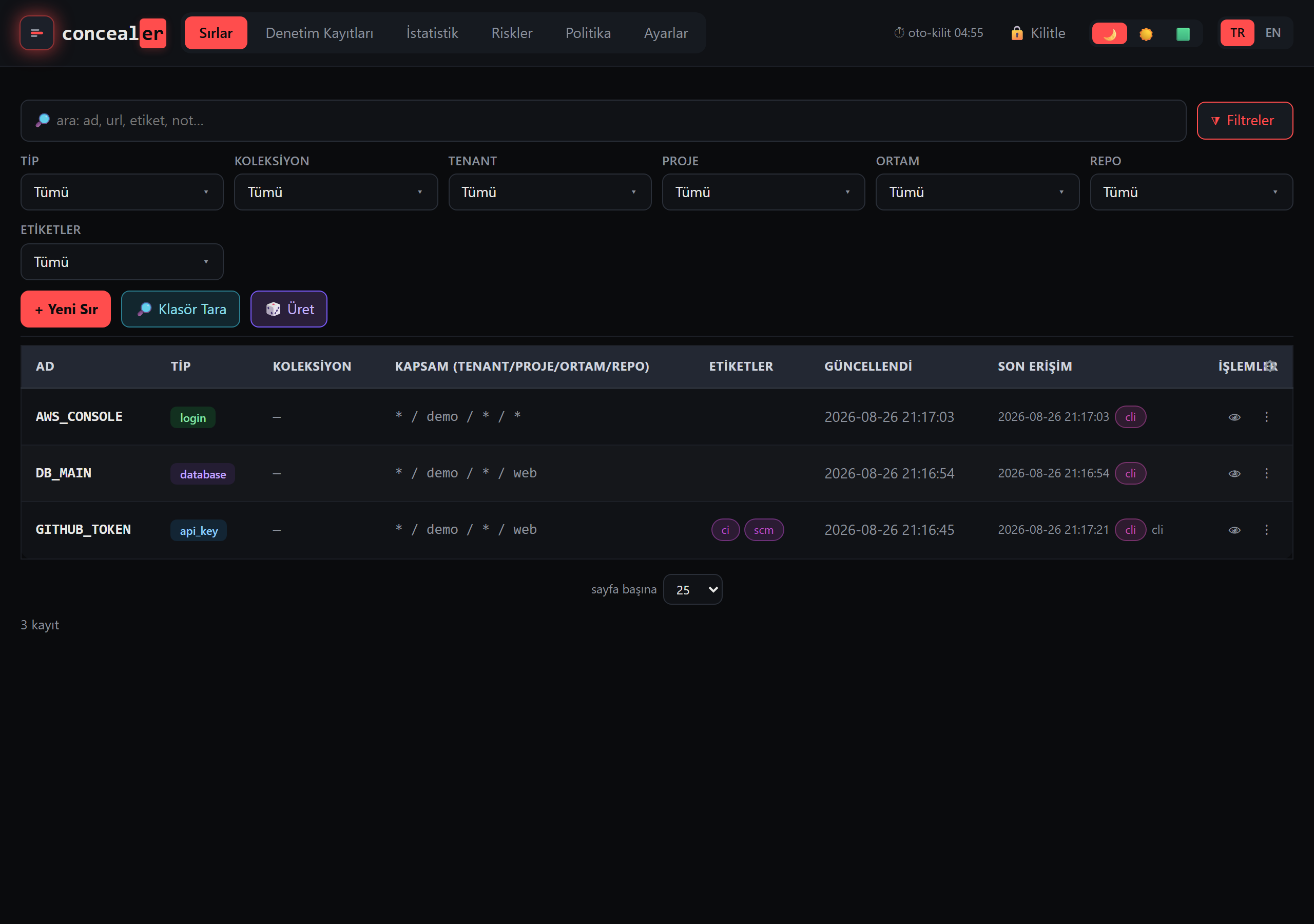
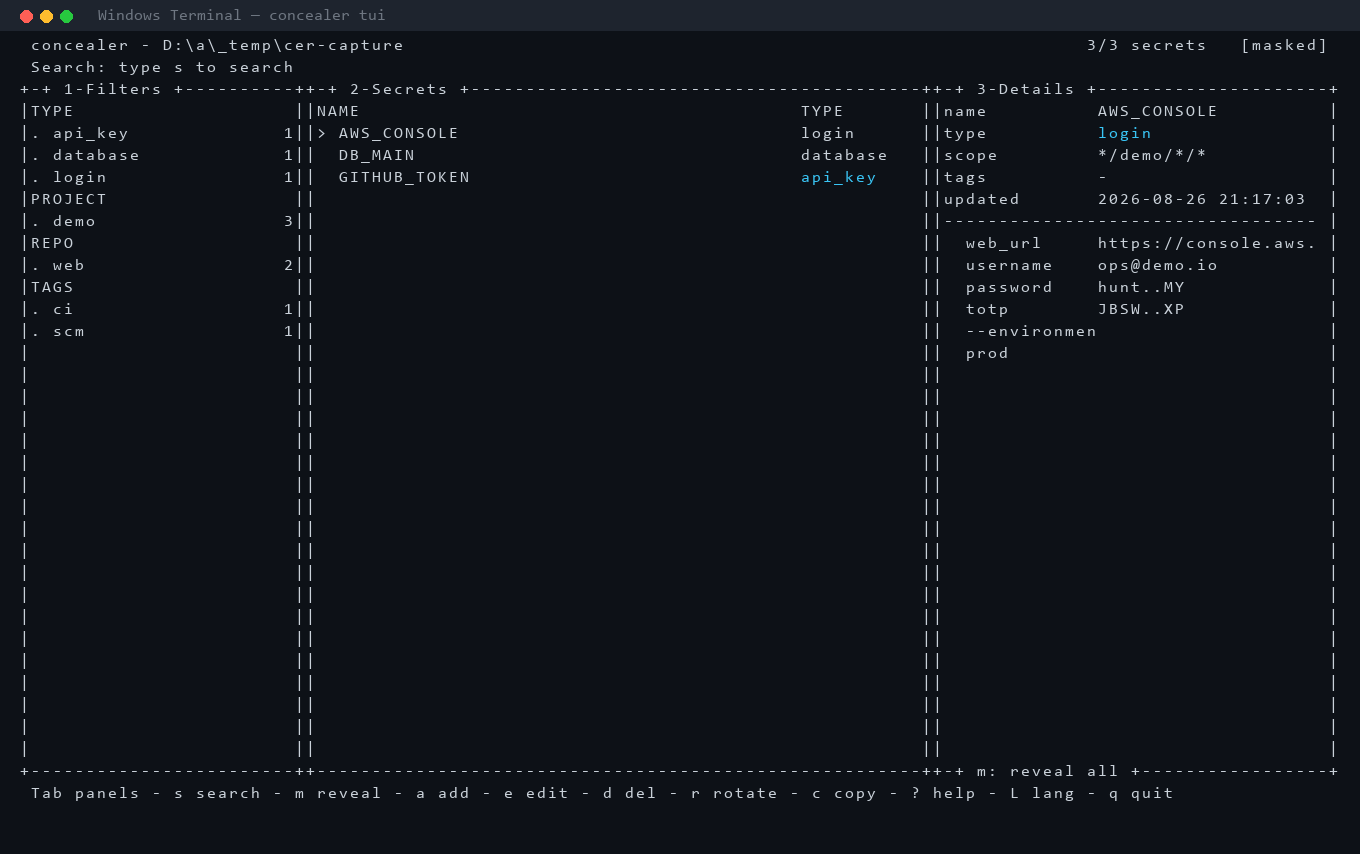
All four interfaces below are captured on a real windows-latest CI runner (dummy vault, dummy secrets).
CLI
Web UI
TUI
MCP (stdio JSON-RPC)

How the Windows build differs
Everything is the same except one thing: how the age passphrase is typed.
Why there is no expect on Windows
age -p (passphrase mode) deliberately reads the passphrase from the controlling terminal, not from stdin — on Unix that’s /dev/tty, on Windows it’s the console. You cannot just pipe the passphrase in.
On macOS/Linux concealer solves this with the classic Unix tool expect, which allocates a pseudo-terminal (pty), waits for the passphrase prompt, and types the answer. Windows has no expect and no /dev/tty — that Unix assumption simply doesn’t exist.
What replaces it: a ConPTY via pywinpty
The Windows build ships a small, Windows-only helper — concealer_win.py — that does exactly what expect does, using the Windows ConPTY API through the pywinpty package:
- spawn
age …attached to a real pseudo-console, - read its output until the
passphraseprompt appears, - type the passphrase (twice for an encrypt, matching age’s confirm prompt),
- drain to EOF and return age’s exit code.
This is byte-for-byte the same interaction expect performs. The Unix path is untouched — _age_pw in the main script simply takes an early if sys.platform == "win32" branch and returns before the expect code ever runs. macOS/Linux behavior does not change at all.
If
pywinptyis missing, concealer fails closed with a clear message — it never falls back to a weaker or plaintext path.
The TUI
The terminal UI needs Python’s curses, which is not in the Windows stdlib. The windows-curses package provides it transparently (import curses just works); pipx/pip install it automatically on Windows. Use Windows Terminal for correct box-drawing and colors — the legacy conhost console renders them poorly.
Clipboard (TUI copy)
On Windows the TUI copies via clip and schedules an auto-clear with a hidden PowerShell Start-Sleep; Set-Clipboard, mirroring the 45-second clipboard wipe on macOS/Linux (pbcopy/xclip/wl-copy).
⚠️ Security caveats on Windows (read this)
concealer’s on-disk protection model was designed on Unix. Two things are weaker or different on Windows — know them before storing real secrets.
1. chmod 0600 does not mean what it means on Unix
concealer calls os.chmod(path, 0o600) on every sensitive file in keys/ (the master hash, the age-key backup, token/recovery blobs, the audit key). On Unix this restricts the file to your user. On Windows, os.chmod only toggles the read-only bit — it does not stop other user accounts, and it does not stop Administrators, from reading the file. NTFS access is governed by ACLs, which the Unix mode bits don’t touch.
To compensate, at vault creation the Windows helper best-effort-locks the keys/ directory with icacls (/inheritance:r /grant:r <you>:(OI)(CI)F) — inheritance on, so every key file created inside it is restricted to the current user too. This is best-effort:
- A local Administrator / SYSTEM can still take ownership and read anything. This is the same ceiling as Unix root — documented, not fixable in a user-space tool.
- If
icaclsis unavailable or the volume isn’t NTFS (e.g. a FAT/exFAT USB drive), the ACL tightening silently no-ops and the file keeps the default, more permissive inherited ACL. Do not put a vault on a removable/FAT drive.
Put CONCEALER_HOME on your NTFS user profile volume (the default, %USERPROFILE%\.concealer), not a shared or removable drive.
2. Saving briefly writes vault plaintext to an ACL-locked temp file
On Unix, concealer hands the plaintext vault to sops for encryption via /dev/stdin — it never touches the disk. Windows has no /dev/stdin, so on Windows save() writes the plaintext JSON to a temporary file inside the ACL-locked keys/ directory (user-only, via inheritance), passes that path to sops, and deletes it immediately afterward. The window is short and the file is access-restricted, but it is a real difference: for the duration of an encrypt, the vault plaintext exists on disk on Windows. Combined with the memory caveat below, treat a Windows host as slightly weaker at-rest than a Unix one.
3. Memory is not wiped (same as everywhere)
As on macOS/Linux, CPython does not zeroize memory. Plaintext secrets, the age key, and the master password may linger in the process heap, the pagefile (swap), or a crash dump until overwritten. Locking reduces the window; it is not secure erasure. This is a cross-platform ceiling, not Windows-specific — see security.md.
What is not weaker
- The crypto is identical — it’s still
sops+age. concealer performs no home-grown crypto on any platform. - The MCP token gate, rate limiting, audit HMAC chain, recovery-code 2nd factor, and key-at-rest (no plaintext age key on disk) all work unchanged.
Troubleshooting
| Symptom | Fix |
|---|---|
missing dependency: sops, age | scoop install sops age (or winget); ensure they’re on PATH. |
pywinpty not installed | pip install pywinpty, or reinstall: pipx install concealer. |
age timed out after 30s (pty) | age didn’t show a passphrase prompt — check the age version is current and on PATH; run concealer from Windows Terminal, not a non-console context. |
| TUI shows garbled boxes | Use Windows Terminal; install windows-curses. |
| Vault files readable by other users | Make sure CONCEALER_HOME is on an NTFS volume; concealer applies icacls only there. |