Risks
Find weak, stale, reused, and leaked secrets — a health overview plus opt-in online/offline exposure checks that never send a secret value anywhere.
The Risks tab has four sub-views: Overview, Reused values, Shell history, and Exposure.
Overview
A health dashboard (GET /api/health) that surfaces the secrets worth acting on: Expired, Expiring soon, Rotation overdue, High risk (reuse), and Most used. Each entry shows how far it is past due (e.g. expired 5 days ago, 12 days overdue). Click any row to open that secret’s editor.
Reused values
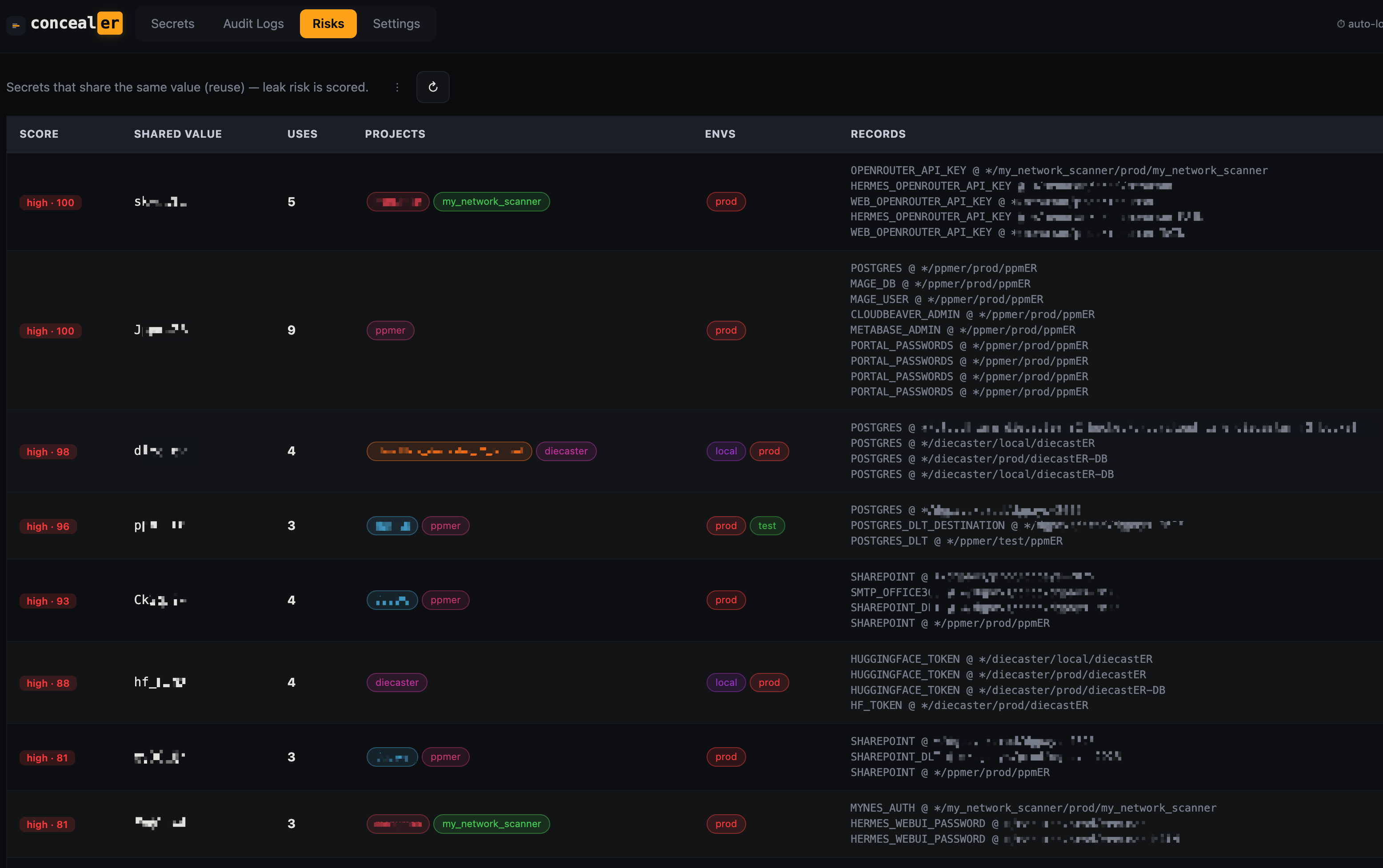
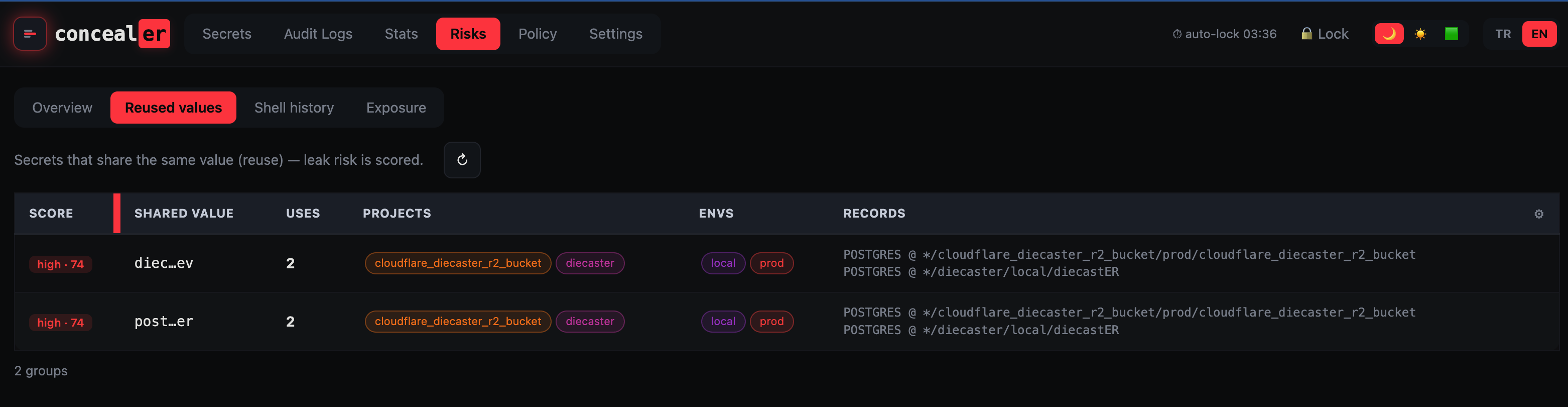
Finds the same secret value used by more than one record and scores the blast radius — if that value leaks, everything sharing it is exposed at once (GET /api/leaks). Rotate the shared value everywhere it appears, or split it into per-service credentials.
Shell history
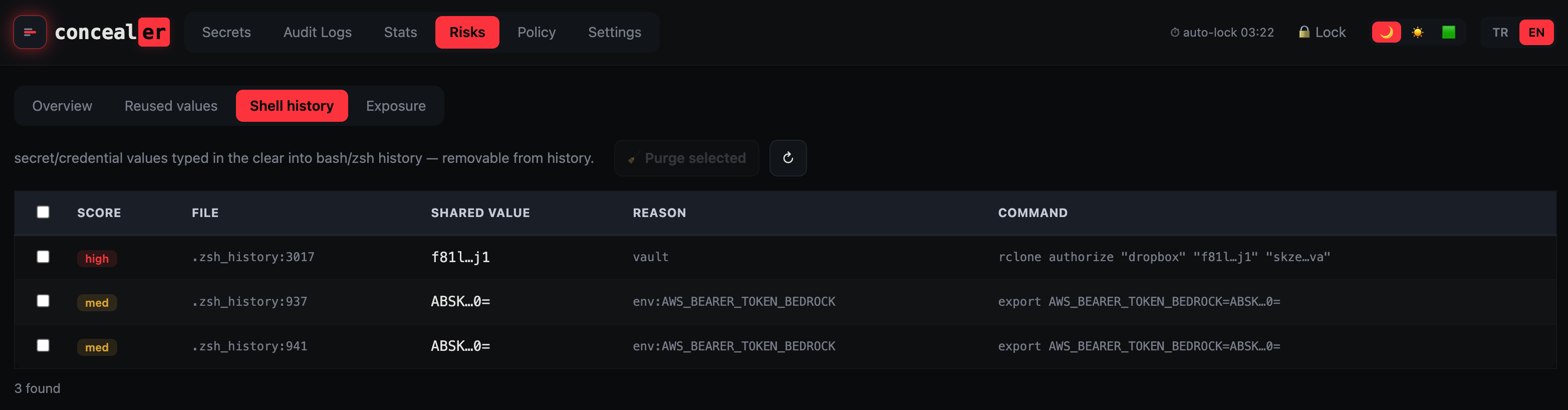
Scans your shell history (GET /api/history) for secret/credential values that were typed in the clear into bash/zsh/fish history. Import the ones that belong in the vault, then clear them from history. See also Scan folder on the Web UI page (and scan --envvars to sweep live environment / shell-profile variables).
Exposure
Answers “is this secret leaked or committed anywhere” — opt-in, and designed so a secret value is never exposed to a third party.
Online leak check
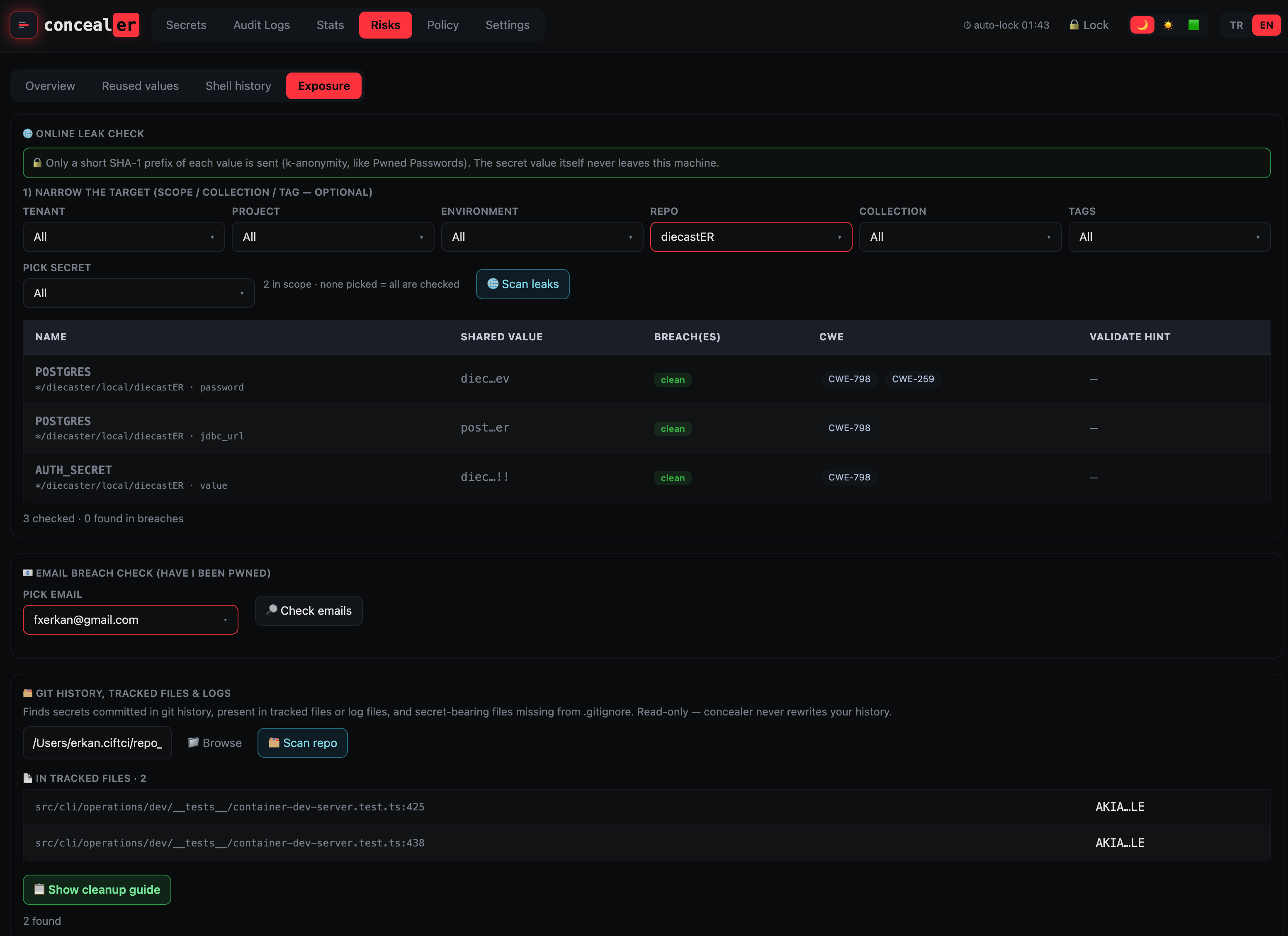
Checks each high-entropy secret value against HIBP Pwned Passwords using k-anonymity: only the first 5 hex characters of the value’s SHA-1 leave the machine; the full-hash comparison happens locally. The value and its full hash never leave the box.
- Narrow the target first with the tenant / project / environment / repo / collection / tag filters, then pick specific records (empty = all in scope).
- Results show the breach count, CWE references (798 hard-coded credentials, 259, 321, …), and a keyhacks-style validate hint per token type. Click a row to open its editor.
- CLI:
concealer expose.
Only a short SHA-1 prefix is transmitted, and only when you click Scan leaks / run
expose. It is off by default.
Email breach check
Looks up an email against HIBP account breaches (POST /api/breach). Pick from the addresses concealer extracts from the vault (only from non-secret fields — url, notes, plaintext fields like username; masked secret values are never scanned). Requires your own HIBP API key (Settings → HIBP API key, stored in the 0600 config, never returned — only the email is sent). Without a key it links to the manual HIBP page.
Git history, tracked files & logs
Read-only scan (POST /api/gitscan, CLI gitscan) that finds secrets:
- committed in git history (pickaxe
git log -Son your vault values — precise, local), - present in tracked files (
git greptoken patterns) or log files, and - secret-bearing files missing from
.gitignore/.claudeignore.
Show cleanup guide generates a remediation document tailored to the repo/files/secrets (rotate-first, git rm --cached, git filter-repo / BFG, force-push coordination, pre-commit scanners), with per-block copy buttons. concealer never runs history-rewriting commands — it only writes out the steps for you to run.
JSON API
| Method & path | Purpose |
|---|---|
GET /api/health | rotation / expiry / reuse / usage health overview |
GET /api/leaks | reused-value risk report |
GET /api/history | shell-history secret scan |
POST /api/exposure | online leak check (k-anonymity); ids picks exact records |
POST /api/breach | HIBP account breach lookup for an email |
POST /api/gitscan | git history / tracked-files / logs / .gitignore scan |
POST /api/gitremedy | generate the history-cleanup guide |
All exposure checks are the human owner’s tools (unlocked by the master password) and are opt-in — nothing runs until you click Scan.